Physiotherapy for Office Workers: Solving Desk-Related Pain
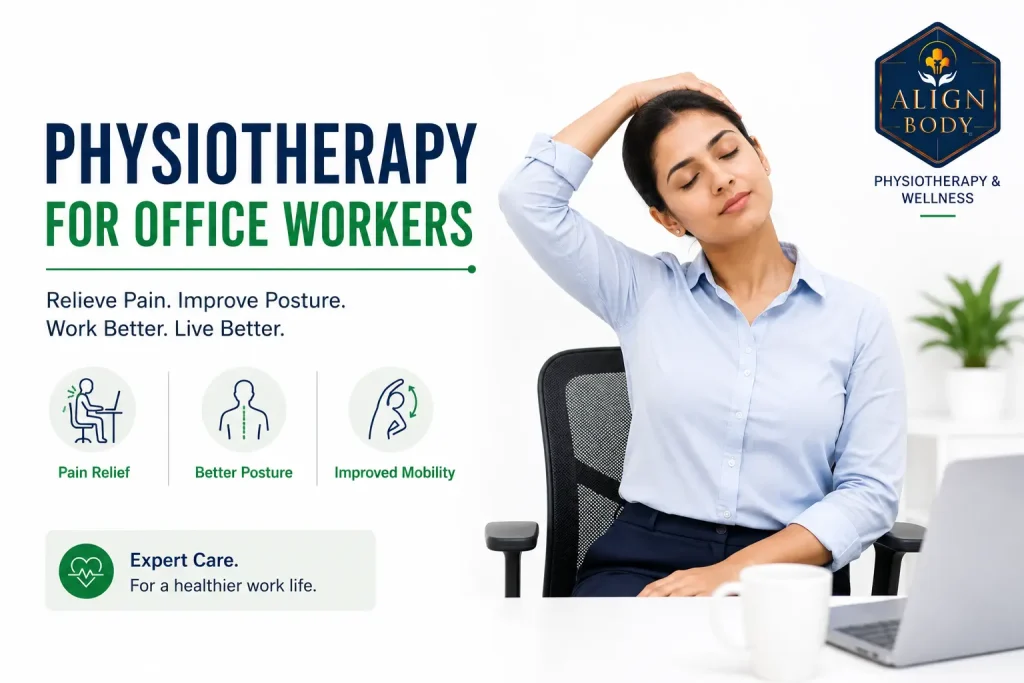
Desk-related pain in office workers usually shows up as neck stiffness, upper back tension, lower back ache, wrist or elbow discomfort or headaches, often in combination. The single largest contributor is not sitting itself but sustained static posture with poor workstation setup and insufficient movement breaks. Physiotherapy treatment combines individualised ergonomic assessment, targeted strengthening of postural muscles, mobility work for tight structures and structured break protocols. Most desk workers see meaningful improvement within 4 to 8 weeks with proper treatment. Fixing the workstation is often more important than the exercises themselves.
The average corporate professional in Delhi NCR now sits at a desk for 8 to 10 hours a day, adds another 2 to 3 hours of phone use and after the pandemic often works from setups that were never designed for full-time work. It is not surprising that desk-related pain has become one of the most common presentations at our clinic.
What is surprising is how much of the online advice on this topic is generic. “Sit up straight, take breaks, get physiotherapy” repeated across dozens of sites without actually helping anyone identify what is wrong with their specific presentation or what to do about it. This post takes a different approach: match your pain pattern to the likely cause, understand the specific fixes that actually work and know when you have moved from “desk pain” territory into something needing proper clinical assessment.
I am Dr. Richa Gupta, founder of AlignBody Physiotherapy Clinic in Delhi. This guide covers the full picture: how to self-diagnose desk pain patterns, the workstation setup that actually reduces symptoms, break protocols with evidence behind them, the differences between similar-looking conditions (carpal tunnel vs cubital tunnel vs De Quervain’s), what physiotherapy treatment involves and when you need medical assessment rather than more exercises.
The Sitting Is the New Smoking Myth
You have probably heard “sitting is the new smoking.” It makes for good headlines but oversells the problem in ways that lead to bad decisions.
The actual research shows that prolonged sedentary time is associated with increased risk of cardiovascular disease, metabolic problems and some musculoskeletal issues. That association is real but far weaker than the smoking comparison suggests. Smoking directly damages tissue at a cellular level. Sitting creates conditions (static posture, reduced circulation, weakened postural muscles) that contribute to problems primarily when combined with poor workstation setup and lack of counter-activity.
The practical implication is different from what the headline suggests. Standing desks alone are not the solution. Studies of standing desk users show they often develop different problems (lower back, hip, foot pain) rather than eliminating symptoms. What consistently produces the best outcomes is postural variation: regularly changing between sitting, standing and moving through the day. The problem is not sitting per se; it is holding any single position for hours without variation.
This matters because if you buy a standing desk expecting it to solve your problems, you are likely to be disappointed. If you build in postural variation with regular movement breaks, whether you have a standing desk or not, symptoms usually improve substantially.
Body Map: What Your Pain Location Actually Means
Desk-worker pain shows up in fairly predictable locations depending on which system is being overloaded. Match your primary pain area to identify the likely underlying issue.
Where does your desk pain sit? Match to identify the likely underlying problem:
Neck + base of skull
Forward head posture / tech neck. Deep neck flexor weakness. Cervicogenic headaches likely.
Between shoulder blades
Weakened mid/lower trapezius from rounded upper back. Responds to scapular strengthening.
Top of shoulders
Sustained upper trapezius activation. Usually unsupported forearms or screen too high.
Lower back
Weak core, tight hip flexors, inadequate lumbar support during sitting.
Wrists + forearms
Nerve compression (CTS, cubital tunnel) or tendinopathy (De Quervain’s, tennis elbow). Needs differentiation.
Hips + glutes
Piriformis tightness, glute weakness from disuse, or referred pain from lumbar spine.
Neck and base of skull
Aching neck pain, morning stiffness and headaches starting from the base of the skull point to forward head posture and sustained cervical loading. This is tech neck territory. Read our detailed guide on tech neck causes and treatment for the specific mechanisms and exercise programme.
Between the shoulder blades
Persistent aching between the shoulder blades usually reflects weakened middle and lower trapezius muscles struggling to support a rounded upper back posture. This is one of the most common desk-worker patterns and responds well to targeted scapular strengthening (rows, wall angels, Y-T-W exercises).
Upper trapezius and top of shoulders
Tension across the top of the shoulders, often described as “carrying the weight of the world,” typically involves sustained upper trapezius activation from unsupported forearms during typing, mouse use held too far from the body or a screen positioned too high. Manual therapy plus workstation adjustments usually help significantly.
Lower back
Aching lower back pain from prolonged sitting is common and usually reflects a combination of weak core stabilisers, tight hip flexors and inadequate lumbar support. Read our detailed guide on why lower back pain hurts and our core strengthening programme for the specifics.
Wrists and forearms
Pain, tingling or numbness in the wrists and forearms points to nerve compression conditions (carpal tunnel or cubital tunnel syndrome), tendinopathies (De Quervain’s, tennis elbow, golfer’s elbow) or repetitive strain injuries. These need proper differentiation. See the wrist section below.
Hips and glutes
Deep hip or buttock pain from prolonged sitting often involves piriformis tightness, gluteal weakness from disuse or, less commonly, referred pain from the lumbar spine. Progressive hip strengthening and postural breaks usually resolve most cases.
Headaches
Cervicogenic headaches (starting from the neck) are common in desk workers. Tension-type headaches from sustained upper trap and jaw tension are also frequent. Combining eye strain, dehydration and poor sleep with these creates the classic “office headache” pattern. Migraines and other primary headache disorders are different clinical entities and need separate assessment.
The Wrist Pain Differential: CTS vs Cubital Tunnel vs De Quervain’s
Wrist and forearm pain in desk workers commonly gets lumped together as “carpal tunnel” but three distinct conditions produce similar-looking symptoms with different treatments.
| Condition | Location of Symptoms | Typical Trigger | Key Feature |
|---|---|---|---|
| Carpal Tunnel Syndrome | Thumb, index, middle, half of ring finger; palm side | Sustained wrist flexion, mouse use, phone gripping | Wakes with numb hand at night, shakes it out |
| Cubital Tunnel Syndrome | Little finger, half of ring finger; often extends up forearm | Sustained elbow flexion (phone holding, sleeping with bent elbow) | Numbness on elbow tap, worse with sustained elbow bending |
| De Quervain’s Tenosynovitis | Thumb side of wrist, thumb base | Repetitive thumb/wrist movements, phone scrolling, new mothers | Positive Finkelstein test, no numbness |
Getting the differential right matters because treatment differs significantly. Carpal tunnel needs wrist position modification and often night splints. Cubital tunnel needs elbow position modification and avoiding sustained flexion. De Quervain’s needs progressive loading of the affected tendons and thumb movement modification. Generic “wrist exercises” that ignore this differentiation often make one or another of these conditions worse.
Workstation Setup: The Actual Numbers That Matter
Every desk pain article says “monitor at eye level, chair supportive, keep good posture.” Here are the specific measurements that actually make a difference:
Chair setup
- Seat height: feet flat on the floor with knees at approximately 90 degrees. Hips slightly higher than knees is fine, hips lower than knees increases lumbar strain
- Seat depth: approximately 3 to 5 cm of space between the back of the knee and the front of the seat
- Backrest: should support the natural lumbar curve. If your chair does not have adequate lumbar support, a rolled-up towel or Rs. 500 to 1,500 lumbar support cushion is a worthwhile investment
- Armrests: at a height that allows shoulders to relax with elbows at approximately 90 degrees. If they force your shoulders up, remove them
Monitor setup
- Distance: approximately arm’s length (50 to 70 cm) from your eyes
- Height: top of the screen at or slightly below eye level. Bifocal wearers may need the screen lower to avoid tilting the head back
- Angle: tilted approximately 10 to 20 degrees back for comfortable viewing
- Laptop users: a laptop alone forces either a bad neck position or a bad wrist position. Use a laptop stand plus external keyboard and mouse. This is the single most impactful workspace change for laptop users
Keyboard and mouse
- Position: keyboard directly in front of you, mouse close to the keyboard so you do not have to reach
- Wrist position: neutral (straight), not bent up or down
- Elbow angle: approximately 90 degrees, upper arms hanging relaxed at your sides
- Consider ergonomic input devices if standard keyboard and mouse produce sustained symptoms. Vertical mice reduce forearm rotation strain; split keyboards reduce wrist deviation
Lighting and environment
- Avoid glare on the screen from windows or overhead lights
- Ambient lighting slightly dimmer than the screen brightness reduces eye strain
- Room temperature not too cold (increases muscle tension) or too warm (increases fatigue)
The Break Protocol That Actually Works
Break advice tends to be either useless (“take regular breaks”) or unrealistic (“stop every 15 minutes”). Two protocols have reasonable evidence and are practical enough to actually follow:
The 20-8-2 rule
For each hour of desk work: 20 minutes sitting, 8 minutes standing, 2 minutes walking or moving. This can be adapted to any hour block. The key insight is postural variation, not any specific ratio. This approach reduces sustained loading on any one tissue system.
Pomodoro with movement
Work in focused 25-minute blocks with 5-minute breaks between them. Use the 5-minute breaks for movement rather than checking your phone. After 4 blocks (2 hours), take a longer 15 to 30 minute break with proper walking and stretching. This approach produces both physical and productivity benefits.
What to actually do during breaks
- Stand up and walk for at least the first 30 seconds
- Do 10 chin tucks (see our forward head posture exercises guide)
- Shoulder rolls: 10 backward, 10 forward
- Wrist circles and finger fanning
- Look at something at least 20 feet away for 20 seconds (eye strain relief)
- Hydrate: sip water, which also creates natural break triggers via bathroom visits
The single most important thing is that the break involves physical movement and postural change, not just switching from one screen to another.
Red Flags: When Desk Pain Needs Medical Assessment
See a doctor rather than continuing with self-care if you have:
- Progressive weakness in the arms or hands (dropping things, grip weakening)
- Numbness that persists rather than resolving with position change
- Loss of dexterity (buttoning shirts, using cutlery becoming difficult)
- Severe pain that wakes you at night
- Loss of bladder or bowel control (medical emergency)
- Radiating leg or arm symptoms with weakness
- Unexplained weight loss with pain
- Fever with severe neck or back pain
- Symptoms progressing rapidly rather than settling with rest
- Pain unlike any you have experienced before
These features suggest the problem is beyond typical desk-related musculoskeletal pain.
What Physiotherapy Treatment Actually Involves
Effective physiotherapy for desk workers has several components integrated based on the specific presentation. A structured programme typically includes:
Comprehensive assessment (first session)
Detailed history including work setup, hours of screen use, previous injuries and specific symptom patterns. Postural analysis and movement screening. Strength testing of the muscles typically weak in desk workers (deep neck flexors, mid-back stabilisers, core, glutes). Range of motion testing. Functional testing that reproduces work-related loading. Screening for nerve involvement and other conditions requiring different management.
Manual therapy
Joint mobilisation for restricted cervical, thoracic and lumbar segments. Soft tissue work on the muscles typically tight in desk workers (upper trapezius, levator scapulae, pectorals, hip flexors, sub-occipital muscles). Trigger point release where indicated. Manual therapy provides short-term relief that allows the exercise programme to progress more effectively.
Targeted strengthening
The muscles that consistently need strengthening in desk workers are deep neck flexors, middle and lower trapezius, rhomboids, core stabilisers (transverse abdominis, multifidus) and glutes. This is not general fitness training. Specific exercises address the specific weaknesses of the desk-worker pattern.
Mobility work
Thoracic spine mobility (typically stiff), hip flexors, pectorals and where relevant cervical rotation and shoulder external rotation. Stretching alone does not fix desk pain, but combined with strengthening it accelerates recovery.
Ergonomic assessment and correction
Detailed review of your actual workstation setup, ideally with photographs. Specific recommendations for equipment, positioning and posture. For serious cases we may recommend a full workplace visit, though this is uncommon in Indian corporate contexts.
Behavioural coaching
Establishing sustainable break patterns, hydration habits, sleep positioning, activity levels outside work and stress management approaches. These changes often matter more than the exercise programme itself.
Realistic Recovery Timeline
| Presentation | First Improvement | Meaningful Change | Programme Duration |
|---|---|---|---|
| Mild recent onset (under 4 weeks) | 1 to 2 weeks | 3 to 4 weeks | 4 to 6 weeks |
| Moderate (4 weeks to 3 months) | 2 to 4 weeks | 6 to 10 weeks | 2 to 3 months |
| Chronic (3 months to 1 year) | 3 to 6 weeks | 3 to 4 months | 4 to 6 months |
| Long-standing (over 1 year) | 4 to 8 weeks | 4 to 6 months | 6 to 12 months with maintenance |
These timelines assume workstation improvements are made alongside the treatment. Patients who continue with unchanged setups typically progress at half the rate of patients who make ergonomic changes.
Desk Worker Physiotherapy in the Indian Context
A few practical observations from clinical practice in Delhi NCR:
WFH ergonomics are particularly poor because Indian homes are not designed with dedicated workspaces. Kitchen tables, sofas, beds and floor-sitting positions dominate the WFH setup. Fixing the home workstation is often the biggest single intervention we make for WFH patients.
Corporate culture around breaks is often unhelpful. Long meeting stretches, cultural pressure to appear “always on” at the desk, no protected time for movement. Where employers offer wellness programmes, these are often optional gym memberships rather than integrated micro-break protocols. Individual patients often need to establish their own break patterns without organisational support.
Cost of ergonomic equipment is a real factor for many patients. Basic priority order for spending:
- Laptop stand plus external keyboard and mouse (Rs. 2,000 to 5,000 total): the single most impactful change for laptop users
- External monitor at proper eye level (Rs. 8,000 to 20,000): major improvement for dual-screen or high-hour users
- Ergonomic chair (Rs. 8,000 to 40,000+): meaningful but not the first priority
- Standing desk or desk converter (Rs. 5,000 to 30,000): useful but only if you actually alternate positions
- Vertical mouse or ergonomic keyboard (Rs. 1,000 to 5,000): useful for specific presentations, not everyone
If you can only spend on some ergonomic equipment, spend in this order:
Laptop stand + external keyboard + mouse
Rs. 2,000-5,000 total. The single most impactful change for any laptop user.
External monitor at eye level
Rs. 8,000-20,000. Major improvement for high-hour or dual-screen users.
Ergonomic chair with lumbar support
Rs. 8,000-40,000+. Meaningful but not the first priority.
Standing desk or desk converter
Rs. 5,000-30,000. Useful only if you actually alternate positions through the day.
Vertical mouse or split keyboard
Rs. 1,000-5,000. Useful for specific presentations (wrist symptoms), not for everyone.
Physiotherapy costs in Delhi NCR are Rs. 800 to Rs. 2,500 per session. A typical desk-worker programme is 6 to 12 sessions over 2 to 3 months. Corporate insurance sometimes covers physiotherapy but often only partially. Some employers now include physiotherapy as a wellness benefit; this is worth checking.
Prevention: Sustainable Habits That Actually Work
Once acute symptoms resolve, prevention comes down to sustainable daily habits rather than heroic weekly efforts:
- Fix the workstation and keep it fixed: the biggest single ongoing prevention factor
- Movement breaks every 20 to 30 minutes: non-negotiable during long work stretches
- Regular exercise: aim for 150 minutes weekly of moderate activity plus 2 strength sessions
- Strengthening exercises 3 times weekly: 10 to 15 minutes focused on the muscles that get weak from desk work (glutes, mid-back, deep neck flexors, core)
- Weekend recovery not weekend catch-up: two days of intense sport after five days of desk work is worse than daily moderate activity
- Adequate sleep with supportive positioning: right pillow height, mattress support
- Stress management: chronic stress produces sustained muscle tension independent of posture. See our related guide on what causes poor posture
- Early intervention: if new symptoms appear, address them in the first week rather than waiting three months
Frequently Asked Questions
Should I get a standing desk?
A standing desk helps if you use it to alternate positions through the day, not if you replace sitting with standing all day. Studies of standing-desk users show they often develop different problems (foot pain, lower back pain, hip discomfort) if they simply stand for long stretches. The evidence-based approach is postural variation: alternate between sitting, standing and moving. A desk converter that adjusts up and down is often more useful than a fixed standing desk, because it makes changing positions easy.
How much does workplace ergonomics really matter?
It matters more than most people realise. In our clinical experience, patients with well-set-up workstations progress about twice as fast as patients whose setups remain unchanged. The workstation itself is often the biggest single intervention. Exercises and manual therapy address the consequences of a bad setup, but the setup keeps producing more consequences. Fix the workstation first.
Can I do all this at home myself without physiotherapy?
For mild recent-onset symptoms, workstation adjustments and basic exercises can often resolve the problem within 2 to 4 weeks. For symptoms lasting over 4 to 6 weeks, chronic patterns or anything with numbness, weakness or radiating symptoms, professional assessment is worthwhile. A single assessment plus a properly structured programme is more effective than months of guessing exercises from YouTube. Home management is fine for prevention and mild issues; established symptoms usually need targeted intervention.
Do I really need to do exercises every day?
During active treatment phases, daily exercises (10 to 15 minutes) produce meaningfully faster progress than 3-times-weekly work. Once symptoms have resolved, 3 sessions per week for maintenance is usually adequate. The most successful patients are not the ones who do the most exercises but the ones who do them most consistently. Small daily habits outperform sporadic intensive efforts.
Are anti-inflammatory medications useful?
For occasional flare-ups, short courses of anti-inflammatories can help settle acute symptoms enough to allow you to engage with active treatment. As long-term management, regular NSAID use is problematic due to cardiovascular, renal and gastric side effects. Chronic NSAID use for desk pain is treating the symptom without addressing the cause. Address the cause and the need for medication typically reduces significantly.
Should I wear a posture corrector brace?
Generally no. Posture braces provide short-term postural feedback but weaken the postural muscles further if worn regularly. The muscles need to be actively strengthened, not passively supported. Occasional use as a reminder cue is fine; daily long-term use is counterproductive. Strengthening exercises produce lasting postural improvement in a way that bracing does not.
How does WFH compare to office work for musculoskeletal risk?
WFH tends to be worse for most people because home setups are usually more ergonomically compromised, movement breaks are less natural (no walks to meeting rooms or between colleagues), meetings back-to-back are more common without buffer time and boundaries between work and rest are blurred. Some patients do better at home if they have invested in proper equipment and maintain movement habits. Most do worse without those investments.
Is my desk pain a sign of something serious?
The vast majority of desk-related pain is musculoskeletal and resolves with proper treatment. Signs that warrant investigation beyond typical treatment include: pain that wakes you at night, progressive weakness, numbness that does not resolve with position change, unexplained weight loss with pain, fever with pain, symptoms progressing rapidly or bladder/bowel changes. These features suggest something beyond desk-related pain and need medical assessment. Read our guide on cervical spondylosis for one common condition that can develop from long-term desk work.
Desk-related pain is one of the most treatable and preventable musculoskeletal problems we see. The core intervention is a combination of workstation improvements, targeted strengthening of the muscles that get weak from desk work, mobility work for the tissues that get tight and behavioural changes around movement breaks.
What consistently does not work: sitting up straighter and hoping, generic exercise apps not tailored to your specific presentation, treating symptoms with medication while ignoring the setup, standing desks alone, expensive chairs alone without other changes. Real progress happens when the whole system changes together.
If you have desk-related pain that has not responded to the usual advice or if you want a proper assessment before it becomes chronic, book at AlignBody. Our clinics run from Jagriti Enclave in East Delhi and Vasant Vihar in South Delhi and deliver structured programmes for the full range of desk-related musculoskeletal conditions. Read our related guide on how physiotherapy can speed up recovery.
What is the single change to your workstation you could make this week that would take under 30 minutes? That answer is often more important than any specific exercise you might do.
Individualised treatment for corporate professionals and WFH workers. Ergonomic assessment plus structured physiotherapy programmes.
East Delhi: Jagriti Enclave | South Delhi: Vasant Vihar | +91 9310 014 226